How to install
The latest version of this software can be retrieved from the repository hosted at: https://github.com/ccossou/pyed
This package is a simple Python module, and all default commands works, such as:
pip install pyed
How to make a graph
Pyed will not create a ready to use graph. You’ll have to do some steps manually in Yed, but the node creation will be handled in Python completely.
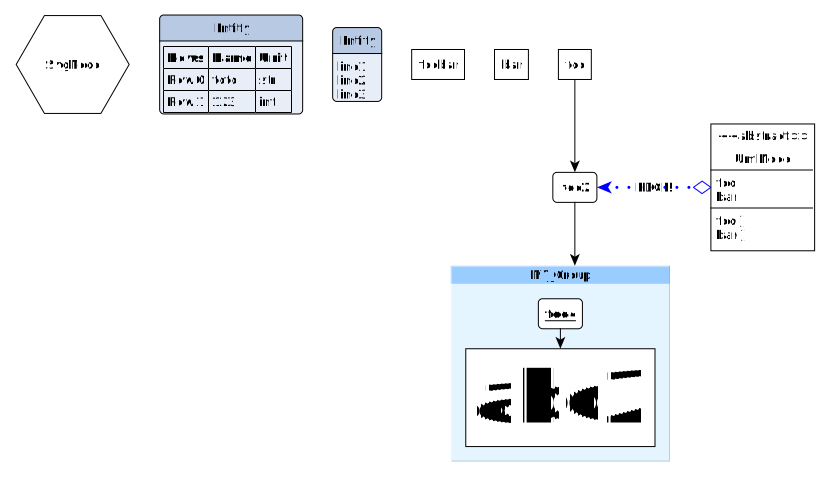
Example of graph to showcase possible objects. Script used to make the plot is examples/make_graph.py.
Steps to make a graph:
Write a python script to create the .graphml file with every node and edge you can wish for (see examples/make_graph.py for a start)
import pyed

g = pyed.Graph()

n1 = g.add_node(pyed.ShapeNode, 'foo')
n2 = g.add_node(pyed.ShapeNode, 'foo2')

e1 = g.add_edge(n1, n2)

l = g.add_node(pyed.GenericNode, "Entity", description="line1\nline2\nline3")

table = [
    ("Rows", "Name", "Unit"),
    ("Row 0", "toto", "str"),
    ("Row 1", 123, "int"),
]

t = g.add_node(pyed.TableNode, "Entity", table=table)


grp1 = g.add_group("MY_Group")
n4 = grp1.add_node(pyed.ShapeNode, 'foo4')
n5 = grp1.add_node(pyed.ShapeNode, 'abc2')

g.add_edge(n4, n5)
g.add_edge(n2, grp1)

g.write_graph("test.graphml")
- Open the .graphml file you produced in Yed
do Tools>Fit Node to Label
Note
Depending on your need, in the opened window, you might have to uncheck “Ignore Height” to ensure the node adapt properly to your content.
In the Layout menu, use one of the layouts available to properly display the nodes that are currently overlapping one another. A good start is to use either “One Click Layout” or “Hierarchical”.
You can then save and export to .svg if you want to display this graph in one of your document (other export format are available.)